Control Your Phone
Without Touching The Screen.
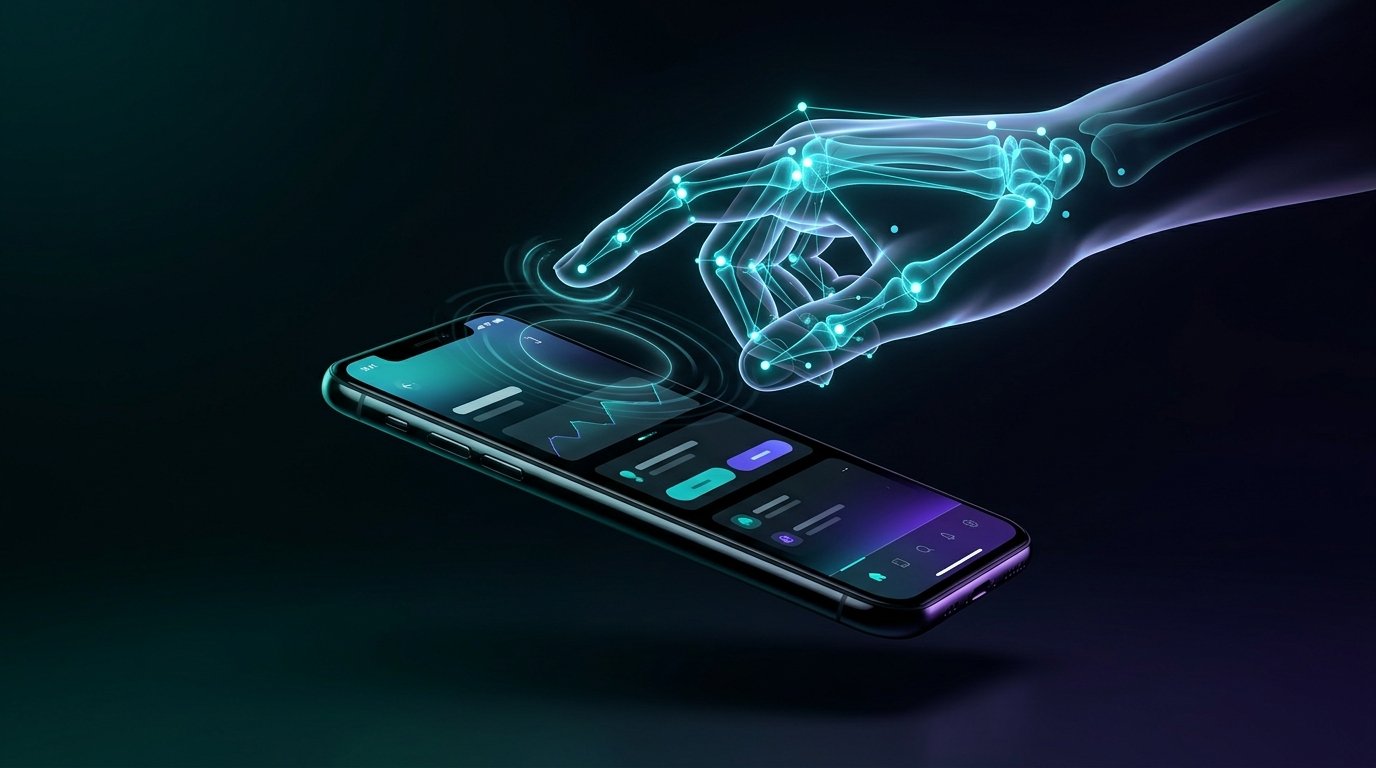
Experience effortless hands-free navigation. Swipe through Instagram Reels and TikTok, scroll recipes while cooking, or skip workout tracks using sub-millimeter AI hand gesture recognition on your Android smartphone.
21 Points
Hand landmark skeleton
100% Local
Zero cloud video retention
< 16ms
Ultra-low latency dispatch
Hand Tracking Active
Gesture: Point & Move UpExperience The Gesture Engine In Action
Test out how Touchless Control recognizes your gestures and sends touch commands to scroll reels, browse feeds, and control media.
Creamy Garlic Tuscan Pasta
Hands covered in dough or sauce? Swipe up without touching to advance steps!
Heavy Bench Press Set 3
Sweaty palms? Change your motivational soundtrack completely hands-free.
Mindblowing AI Inventions 2026
Enjoy hours of scrolling without developing finger fatigue or tech neck.
Independent Smartphone Access
Engineered to empower individuals with motor impairments through intuitive gestures.
Simulate Hand Gestures
Click any gesture trigger below to test how our Accessibility Dispatcher translates hand motions into Android system actions.
Engineered For Pure Performance
Everything you need for seamless, natural, and private touchless smartphone interaction.
21-Point Hand Landmarker
Utilizes Google MediaPipe Vision tasks to track 21 continuous 3D skeletal joints in real time with sub-millimeter precision.
Hands-Free Reel Scrolling
Effortlessly swipe YouTube Shorts, Instagram Reels, and TikTok feeds with subtle point & flick motions from up to 2 meters away.
Interactive AI Gesture Trainer
Calibrate standard movements or train custom motions with live CameraX preview, visual palm guides, and 3 verified repetitions.
Custom App Launch Shortcuts
Map any gesture to open any installed app on your phone hands-free with real-time app search and instant shortcut execution.
Ad-Free Touchless Pro
Upgrade via Google Play Billing for a distraction-free, 100% ad-free experience with unlimited gesture profiles and priority engine tuning.
100% On-Device & Private
Camera frames exist ephemerally in RAM only for instant landmark calculation. Zero frames are ever saved, stored, or sent to the cloud.
Battery-Smart Cooldown
Engineered with dynamic frame skipping, intelligent idle suspension, and battery-friendly background foreground services.
Accessibility First
Built with Android AccessibilityService to assist people with limited hand mobility, motor conditions, tremors, or limb differences.
When Touching Your Screen Isn't An Option
Touchless Control solves real-world annoyances throughout your day.
Kitchen & Cooking
Follow complex online recipes and flip through step photos with wet, greasy, or dough-covered hands without smudging your display.
Gym & Workouts
Skip workout tracks, change exercise timers, or review set forms without wiping chalk or sweat onto your phone screen.
Snacking & Dining
Enjoy greasy popcorn, chips, or wings while binge-watching reels without leaving oily fingerprints all over your device.
Mobility Assistance
Provides an intuitive alternative input method for users with motor disabilities, arthritis, or temporary injuries.
Upgrade To Touchless Pro
Supercharge your hands-free experience with custom gesture training, custom app shortcuts, and an ad-free interface.
Starter Free
Essential hands-free navigation for everyday browsing and reels.
- ✓ Core Gestures (Swipe Up, Down, Left, Right, Tap, Pinch)
- ✓ 21-Point MediaPipe On-Device Vision
- ✓ Floating HUD Indicator & Feedback
- ✕ Ad-Free Experience (Contains non-intrusive banners)
- ✕ Custom Gesture Training Studio
- ✕ Custom App Launch Shortcuts
Monthly Pro
Flexible month-to-month access to all pro tools and ad-free browsing.
- ✓ 100% Ad-Free Experience
- ✓ Custom App Launch Shortcuts (Launch any app)
- ✓ Interactive Gesture Trainer with Camera Guide
- ✓ Custom Sensitivity & Distance Calibration
- ✓ Priority Neural Engine Updates
- ✓ Cancel Anytime via Google Play Store
Annual Pro
Best savings with full year access and risk-free trial.
- ✓ Includes 7-Day Free Trial
- ✓ Save Over 37% vs monthly renewal
- ✓ 100% Ad-Free Experience
- ✓ Unlimited Custom Gestures & App Shortcuts
- ✓ Interactive CameraX Motion Trainer
- ✓ Secure Billing via Google Play
Why Touchless Control Requests Permissions
We believe in total transparency. Here is exactly what our permissions do and why your data is 100% safe.
Camera Permission (CAMERA)
Used exclusively to stream frames to the local Google MediaPipe neural network to detect 21 hand landmarks. No video or pictures are ever captured, saved, recorded, or transmitted to any server. Frames are discarded immediately after inference.
✓ 100% On-Device • Zero StorageAccessibility API (BIND_ACCESSIBILITY_SERVICE)
Required by Android to inject touch gestures (swipes, taps) and system navigation (Back, Home) onto other applications hands-free. The app DOES NOT read or collect your passwords, keystrokes, personal messages, or screen text.
✓ Only Injects Swipes • Zero ReadingSystem Alert Window (Display Over Apps)
Allows the optional floating HUD bubble indicator to stay visible over other apps so you can see when hand tracking is active and view instant feedback.
✓ Fully Customizable • Can Be HiddenForeground Service & Battery
Keeps gesture detection active while multitasking between apps without Android OS prematurely killing the background tracking service.
✓ Low-Power Mode • Persistent NotificationFrequently Asked Questions
Have questions about compatibility, privacy, or performance? Find answers below.
Absolutely not. All computer vision processing is performed 100% locally on your device via Google MediaPipe. Camera frames are processed purely in temporary memory and are immediately cleared. No photos or video recordings are ever written to your device storage or uploaded to the internet.
Android security prevents ordinary apps from sending touch gestures (like swiping or tapping) into other applications unless authorized via the official Android Accessibility API. Touchless Control only uses this API to dispatch simulated touch gestures when you perform a hand movement. It does not read your screen, keystrokes, or messages.
Touchless Control is optimized with low-overhead 16KB-page compliant MediaPipe tasks, automated frame dropping, and cooldown timers that conserve battery life during continuous background usage.
Because gesture dispatch is handled at the Android operating system level, Touchless Control works universally with YouTube, Instagram Reels, TikTok, Chrome, Kindle, Recipe apps, Music players, and any app that supports standard touch gestures.
Touchless Control requires Android 7.0 (API Level 24) or higher and supports modern Android 14, Android 15, and Android 16 with edge-to-edge UI.
The Gesture Trainer gives you live CameraX feedback with a visual palm bounding box. When calibrating standard movements (Pinch, Wave, Swipe) or training custom motions, it guides you to perform 3 verified repetitions. The engine learns the landmark trajectory locally in RAM without saving any pictures or videos.
Yes! With the Custom App Shortcuts feature, you can browse or search all installed applications on your phone (like YouTube, Spotify, Google Maps, or Camera) and bind any recognized hand movement to launch it instantly.
Touchless Pro is managed and securely billed directly through Google Play In-App Billing. You can upgrade to remove all advertisements and unlock unlimited custom gestures. You can easily cancel or modify your plan anytime in the Google Play Store app under Payments & subscriptions.
Ready For Truly Hands-Free Control?
Download Touchless Control today from Google Play and revolutionize the way you interact with your Android device.